The call that matters most rarely comes at 10 on a Tuesday morning.
It comes at 9 at night. It comes Saturday afternoon. It comes the week between Christmas and New Year's when the office is closed and the answering machine is still reciting last month's service times.
Most churches handle after-hours the same way: voicemail, and the pastor's cell number given out to the people who already know to ask. That works until it doesn't — until the person calling is a first-time visitor, or someone in a hard place who has never met the pastor and is not going to leave a message.
So the real question is not whether to cover after-hours. It is who covers what.
Here's the shape of it: A church with 120 members gets 80+ calls a month. If the basic questions — service times, directions, event info — are handled automatically, that's roughly 50–60 calls the staff never has to field. The rest transfer directly to staff for pastoral care, prayer requests, and member needs.
The numbers behind it:
📞 68% of church staff feel overwhelmed by admin tasks pulling them from ministry (Barna Group)
📞 27% of people call churches after hours—when no human is available (Lifeway Research)
📞 40% of callers who reach voicemail never call back—some genuinely needed help
Churches that split coverage answer every call while their teams stay focused on what actually requires a person.
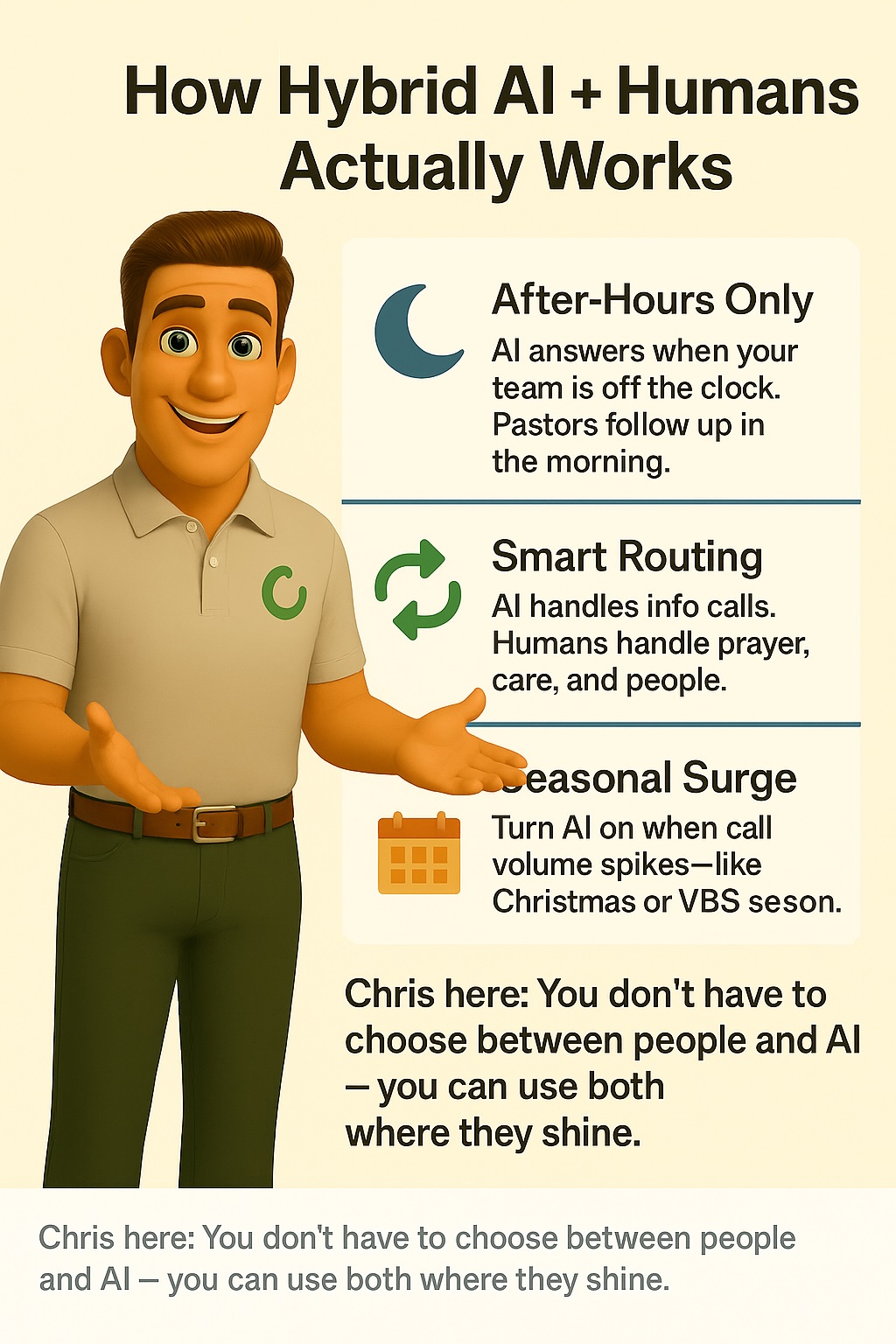
Automated coverage nights and weekends. Your team handles everything during business hours.
Automated: Answering at 11 PM when someone's in crisis
Human: Following up first thing in the morning with personal care
In practice: A young dad calls your church at midnight, struggling. Instead of voicemail, he gets an immediate response, resources, and your on-call pastor gets an alert. By 8 AM, the pastor calls him back for a real conversation.
That's backup, not replacement.
The "what time is service" calls get handled automatically. Anything remotely pastoral transfers to your team immediately.
Automated: Directions, event info, scheduling
Human: Prayer, counseling, member care, crisis response
The math: A church with one pastor getting 60 calls a month, 40 of them basic info requests, frees up 10+ hours. Ten hours for hospital visits. For sermon prep. For actually being a pastor.
Turn it on only for Christmas, Easter, VBS — whenever call volume spikes.
In practice: December hits. You're getting 150 calls instead of 60. Half are "what time is the Christmas Eve service?" Your volunteer receptionist is drowning. Turn it on for six weeks, turn it off after.
"Won't people be mad they got a machine instead of a person?"
Only if you try to trick them. ChurchCalls agents identify themselves as an AI assistant upfront and offer to transfer to staff for anything complex. Most people just want their question answered.
"What if someone's in crisis?"
Crisis language triggers an immediate transfer, an alert to on-call staff, or crisis resources with urgent follow-up scheduled. It is faster than voicemail.
"How do I know when to use it versus answering myself?"
Start with after-hours only. See how it goes. Expand from there based on what your team actually needs help with.
"What about our volunteers who love answering phones?"
Let them keep doing it during their scheduled hours. Use coverage as backup for when they're not there. This isn't about replacement — it's about not missing calls when volunteers are unavailable.
"Is this worth it for a small church?"
Especially for a small church. When you're short-staffed, every missed call costs more. Growing churches retain 20–21% of first-time visitors vs. just 9% for non-growing churches (Lifeway). The difference is follow-up within 48 hours — and you can't follow up with someone you never connected with.
ChurchCalls.ai is $19.99/month flat, with 100 minutes included and no per-minute overage billing. Traditional answering services start near $38/month and charge per minute on top.
Your team is already stretched. You're doing five jobs at once.
The question isn't "should I use automation or people?"
The question is: how many ministry opportunities am I missing because nobody can answer the phone right now?
If that number is more than zero, you need backup.